Reading the Traffic Picture
The minimap shows relationships. The airport view confirms what is physically happening. The strips and radio tell you who is waiting and why.
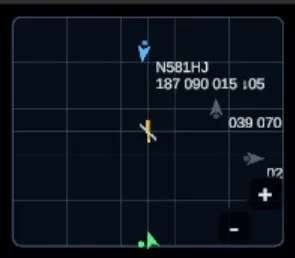
Use the minimap for the broad shape of the traffic picture, then confirm important surface details in the airport view.
The radar overlay
Section titled “The radar overlay”Press TAB to expand the minimap into a full-screen radar overlay, and press TAB again (or Esc) to return to the game. It is the same picture as the minimap, large enough to work from.
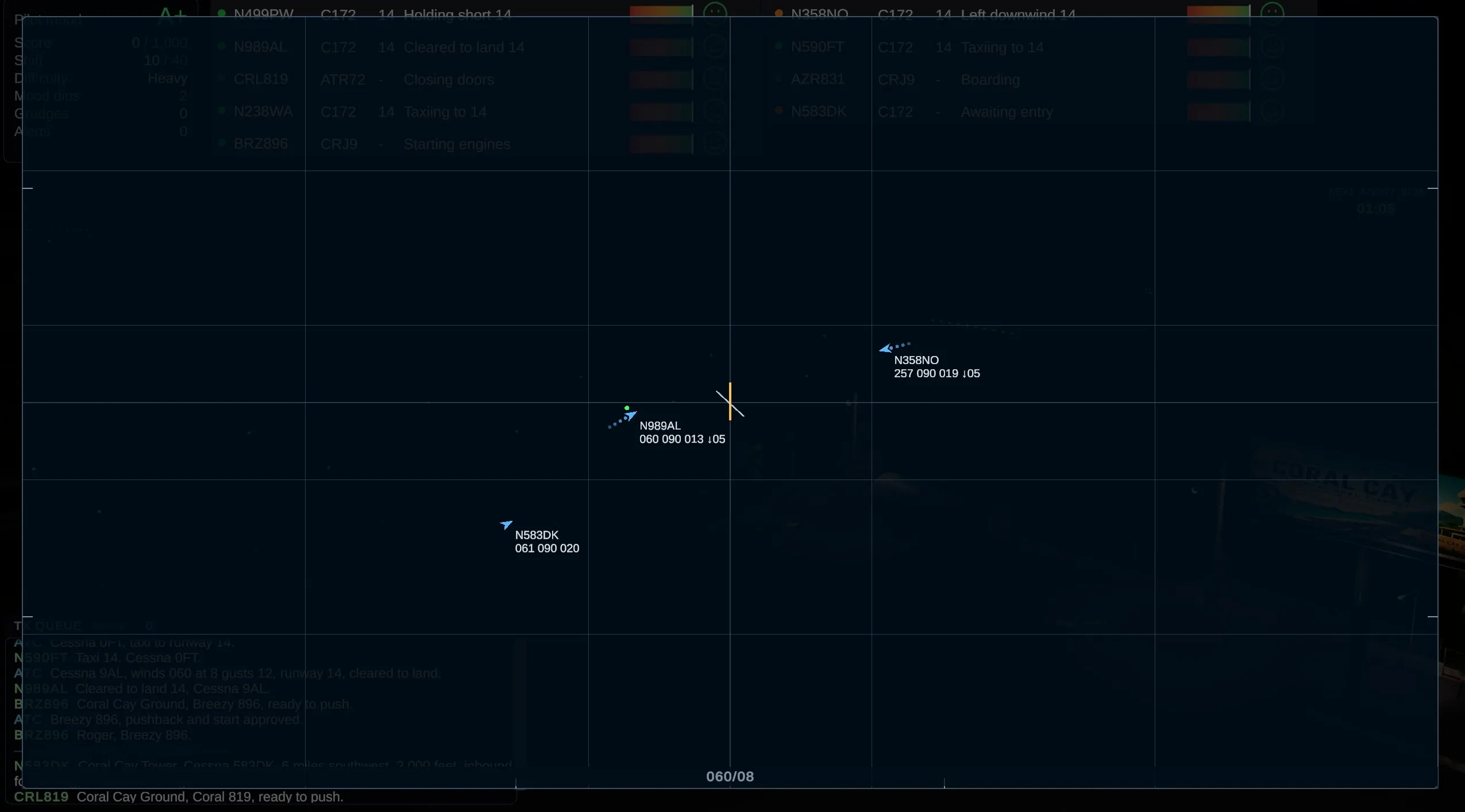
The radar overlay dims the rest of the HUD so the traffic picture is all you see.
Each aircraft carries a data block. The top line is the callsign. The second line reads left to right:
- Heading in degrees.
- Groundspeed in knots, rounded to 5.
- Altitude in hundreds of feet, rounded to the nearest hundred.
- Vertical trend, if the aircraft is climbing (
↑) or descending (↓), in hundreds of feet per minute.
So 060 090 013 ↓05 is an aircraft heading 060 at 90 knots, passing 1,300 feet and descending at 500 feet per minute.
The dotted trail behind each aircraft shows where it has just been, which makes turns and closure easy to see at a glance. The wind appears along the bottom edge as direction and speed in knots (060/08 is wind from 060 at 8 knots). A faint grid helps you judge distance, and traffic outside the coverage area is pinned to the edge of the plot rather than dropped.
Use each view for its strength
Section titled “Use each view for its strength”- Flight strips: triage aircraft that need a response.
- Minimap: compare arrivals, departures, go-arounds, and runway geometry.
- Airport view: confirm runway occupancy, hold-short lines, and surface movement.
- Radio: verify that an instruction was transmitted, heard, and answered.
The clearance panel can tell you what is available for this aircraft right now. Safety still belongs to the wider picture: check the geometry, the other traffic, and the timing before you make the call.
Keep looking
Section titled “Keep looking”An aircraft can be green and following its clearance perfectly while the larger situation changes around it. Keep the picture moving, and keep checking it.